Basket Bros Unblocked — Play Free Online
More Sports games



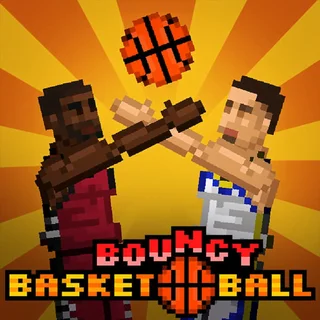

Basket Bros unblocked: play Basket Bros online free right here in your browser — no download, no sign-up, works on a school Chromebook.
Basket Bros is a fast and bouncy 1v1 arcade basketball game that strips the sport down to pure momentum, timing, and spectacle. Players pick a stylized character and step onto a compact court where every possession is a chaotic sprint to either rattle the rim with a backboard-shaking slam dunk or contest a buzzer-beating three-pointer. The oversized bobblehead physics give every leap and collision a punchy, unpredictable feel that makes each short matchup thrilling.
For visitors exploring Cat Mario, Basket Bros offers an energetic break from traditional platforming challenges. While trap-heavy precision games test your patience and memorization across repetitive stage attempts, Basket Bros shifts the focus entirely to live reaction speed and tactical spacing against an aggressive rival.
How to play
The controls are straightforward, letting you jump straight into exhibition games, single-player tournaments, or head-to-head local duels:
- Move and Jump: Use the Arrow keys or WASD to run left and right across the court and leap into the air.
- Shoot and Dunk: Press the action key (such as L, Space, or G depending on your player slot) while jumping. Holding the key charges your release timing, while pressing it close to the hoop initiates a dunk.
- Steal and Block: On defense, time your jumps to swat away opposing shots or collide with the ball handler to strip possession before they can drive into the paint.
Tips for winning matches
Success on the court relies on court positioning and understanding the airborne physics engine:
- Master your shot release: Releasing the shoot button at the very apex of your jump provides the highest shooting percentage from behind the perimeter arc.
- Protect against fast breaks: If you miss a shot or get blocked, immediately retreat toward your own net rather than chasing the ball carrier from behind.
- Use dunks to guarantee points: Dunks cannot be blocked as easily once your character enters the rim-hanging animation, making aggressive drives the safest way to preserve a lead.
- Time defensive swatting: Jumping too early on defense leaves you grounded while your opponent floats past you for an easy basket. Wait until they commit to their shooting animation before contesting.
Similar games on Cat Mario
If you enjoy the fast reflexes and competitive edge of Basket Bros, check out other action-focused titles across the site. Players looking for tight mechanical movement will appreciate OvO and OvO 2, which emphasize momentum and fluid jumping. For those who want high-difficulty precision and trial-and-error obstacles, Level Devil and Big Tower Tiny Square 2 deliver great platforming tests.
Basket Bros runs directly in any modern desktop or laptop web browser without plugins or extra setup. Whether you want a quick two-minute tournament run or an extended local rivalry with a friend on one keyboard, the game delivers instant arcade basketball action.
Questions about Basket Bros
Is Basket Bros unblocked at school?
Basket Bros runs in an ordinary browser tab from catmario.org, with nothing to download or install, so it plays on most school Chromebooks and work computers. If a network filter blocks the site, only that network's administrator can change it.
Can you play Basket Bros with two players on one keyboard?
Yes. Basket Bros supports local two-player matches where one person uses the Arrow keys and the other uses WASD on the same computer.
How do you perform a slam dunk in Basket Bros?
Drive toward the hoop, jump into the air near the rim, and press your action key while moving forward to trigger a powerful dunk.
Do you need to download or install anything to play?
No. Basket Bros runs entirely in modern web browsers using HTML5, requiring no downloads, browser plugins, or account registration.
Does Basket Bros save your unlocked characters?
Yes. Your tournament progress, coins, and unlocked cosmetic gear are saved automatically in your local browser storage between sessions.