Run 2 Unblocked — Play Free Online
More Runners & Driving games




Run 2 unblocked: play Run 2 online free right here in your browser — no download, no sign-up, works on a school Chromebook.
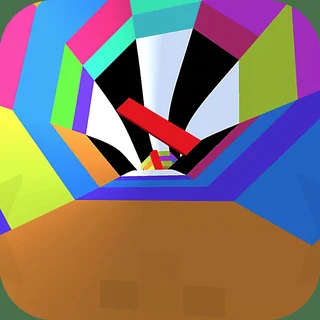
Run 2 takes the classic forward-running platformer into outer space, sending you sprinting through floating architectural tunnels suspended above an endless void. The challenge centers on gravity and spatial awareness: rather than just dodging obstacles on a flat plane, you can steer directly into the side walls. The moment your character touches a wall, the entire structure rotates ninety degrees around you, transforming the wall into your new floor. This gravity-flipping mechanic turns every tunnel into a multi-sided puzzle where pathfinding is just as important as raw reflex speed.
Sessions in Run 2 are fast and demanding. Missing a jump or mistiming a turn sends your character tumbling into deep space, triggering an immediate restart at the beginning of the stage. For players on Cat Mario who appreciate trial-and-error mastery and split-second precision, the rhythmic leap-and-rotate loop offers a deeply rewarding skill curve.
How to play
Navigating the tunnels requires clean keyboard inputs and quick spatial judgment:
- Steer left and right: Press the Left and Right Arrow keys or A and D to move across your current running surface and transition onto adjoining tunnel walls.
- Jump: Press the Up Arrow, Spacebar, or W to leap over chasms and missing tiles. Holding the jump key yields higher, longer leaps.
- Character selection: You can tackle levels using either the Runner or the Skater. The Runner provides tighter ground handling and modest jump height, ideal for tight cornering. The Skater moves with higher base velocity and glides over enormous chasms, though her momentum makes sudden directional shifts more difficult to control.
Tips for high-speed survival
- Rotate before running out of floor: Shifting gravity requires physical contact with an adjacent wall. If you wait until you have already run off the edge into empty space, you will fall. Plan your wall transfers two steps ahead.
- Match the character to the stage: If a level features fragmented platforms separated by massive voids, the Skater's extended hang time makes it much easier. For narrow, twisting corridors with frequent turns, switch back to the Runner.
- Use variable jump heights: Light taps are safer when landing on small floating islands, whereas long presses are necessary to clear extended gaps.
- Look for bypass routes: Most tunnels have four distinct sides. If one side is littered with missing tiles, a quick rotation to the opposite ceiling or wall often reveals a smoother, unobstructed path.
Similar games on Cat Mario
If you enjoy the fast momentum and spatial puzzles of Run 2, explore other precision platformers on Cat Mario. For strict vertical jumping challenges with unforgiving checkpoints, try Big Tower Tiny Square 2. If you want high-velocity parkour platforming focused on slide jumps and momentum conservation, check out OvO. For runners centered purely on horizontal endurance, Super Mario Endless Run provides a classic forward-scrolling experience.
Questions about Run 2
Is Run 2 unblocked at school?
Run 2 runs in an ordinary browser tab from catmario.org, with nothing to download or install, so it plays on most school Chromebooks and work computers. If a network filter blocks the site, only that network's administrator can change it.
What is the difference between the Runner and the Skater in Run 2?
The Runner offers nimble turning and lower, controlled jumps for tight maneuvers. The Skater moves faster, carries higher momentum, and makes huge leaps across wide gaps.
How does gravity rotation work in Run 2?
When you steer onto either the left or right wall of a tunnel, the entire camera perspective shifts ninety degrees, making that side wall your new ground surface.
What are the primary keyboard controls for Run 2?
Use the Left and Right Arrow keys or A and D to steer across tunnel surfaces. Press the Up Arrow or Spacebar to jump over gaps into open space.
Does Run 2 save your level completion progress?
Yes, your stage progression and unlocked levels are automatically saved locally in your web browser storage so you can resume your run at any time.